
AN INTRODUCTION TO OCTAMED SOUNDSTUDIO
This is an introduction to OctaMED's main features: The manual cannot cover all the program's functions. However, if you discover anything in OctaMED that you're unsure how to use, just press the Help key for full instructions.
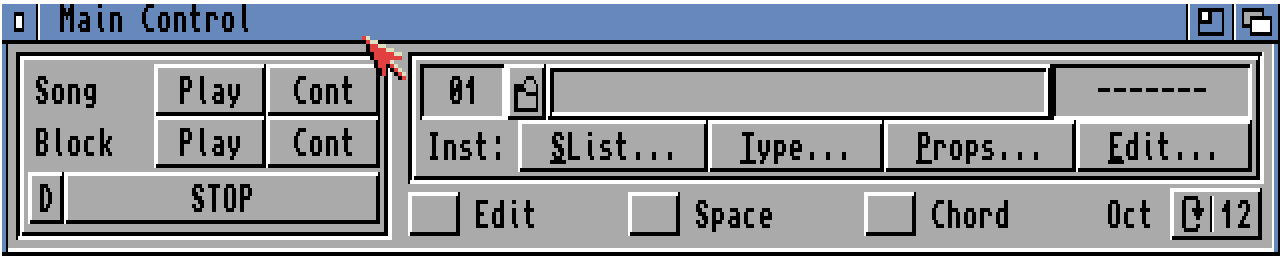
On loading OctaMED, three windows should appear. Main Control provides access to some important functions, and Information displays useful information. The middle window is called the Tracker editor; this is where you usually create songs.

The best way to learn about creating an OctaMED song is to load in a demo song and examine it. To load a song, hold down the right mouse button and select Open from the Project menu (on the left-hand side of the title bar). A file requester appears; you'll encounter one often while using OctaMED.
To listen to the loaded song, find the playing buttons on the left-hand side of the Main Control window. Click on the Play button beside Song. When you've had enough, click STOP or press the space bar. The Cont button continues the song from where it left off.
Now let's examine the components which make up a song.